software audio console
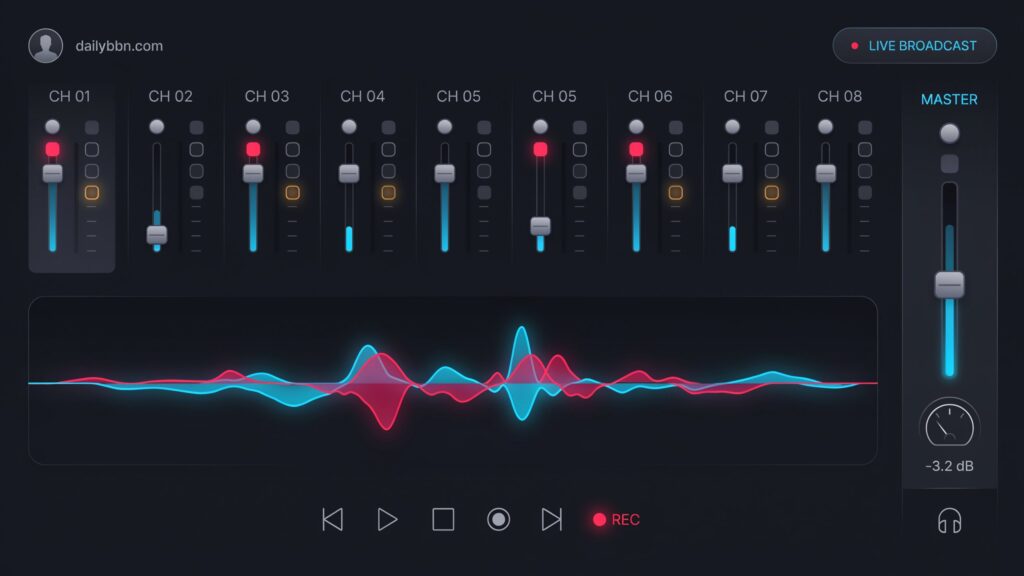
software audio console
Introduction
Audio production has changed dramatically over the past decade. Traditional hardware mixing consoles are still widely used, but many professionals and beginners now rely on software audio consoles for recording, streaming, podcasting, broadcasting, and live audio production. Thanks to powerful computers and advanced digital audio technology, software-based mixing solutions provide professional features without requiring expensive hardware.
In the United States, software audio consoles are used by recording studios, churches, schools, businesses, online broadcasters, and independent creators. Many users appreciate their flexibility because they can manage multiple audio sources, apply effects, control sound levels, and record sessions from a single computer.
This guide explains what a software audio console is, how it works, its key features, common applications, and why it has become an essential tool in modern audio production.
What Is a Software Audio Console?
A software audio console is a digital mixing application that allows users to control, process, and route audio signals using a computer instead of a traditional hardware mixing board.
It performs many of the same functions as a physical audio mixer, including adjusting volume levels, balancing multiple audio sources, adding effects, controlling equalization (EQ), and managing audio outputs.
Depending on the software, users can connect microphones, instruments, speakers, headphones, USB audio interfaces, and virtual audio sources into one centralized mixing environment.
How Does a Software Audio Console Work?
A software audio console receives audio from one or more input devices, processes the sound digitally, and sends the finished audio to speakers, headphones, recording software, streaming platforms, or broadcasting systems.
The entire process happens in real time with minimal delay when using compatible hardware.
Audio Inputs
The software accepts audio from various devices, including:
- USB microphones
- XLR microphones
- Audio interfaces
- Musical instruments
- Virtual audio devices
- Video conferencing applications
- Streaming software
Digital Signal Processing (DSP)
Once audio enters the console, digital processing tools improve the sound quality.
Common processing includes:
- Equalization (EQ)
- Compression
- Noise reduction
- Limiting
- Reverb
- Delay
- Audio routing
Audio Output
After processing, the software sends audio to one or multiple destinations, including:
- Speakers
- Headphones
- Recording software
- Live streaming platforms
- Podcast software
- Video production tools
Key Features of a Software Audio Console
Modern software audio consoles include many professional tools that simplify audio production.
Multi-Channel Mixing
Users can mix several microphones, music tracks, instruments, and computer audio simultaneously.
Each channel can be adjusted independently for better sound control.
Equalizer (EQ)
EQ allows users to increase or reduce specific frequencies to produce clearer, more balanced audio.
This helps improve speech quality and musical recordings.
Audio Effects
Many software audio consoles include built-in effects such as:
- Reverb
- Delay
- Chorus
- Compression
- Noise Gate
- Limiter
These effects enhance overall sound quality without requiring external hardware.
Audio Routing
One of the biggest advantages of digital consoles is flexible audio routing.
Users can send different audio sources to different outputs for recording, streaming, monitoring, or broadcasting.
Who Uses Software Audio Consoles?
Software audio consoles are useful for many different users across the United States.
Musicians
Artists use software mixers to record instruments, vocals, and complete music projects from home or professional studios.
Podcasters
Podcast creators mix microphones, intro music, sound effects, and remote guests from one application.
Live Streamers
Gamers and content creators use software audio consoles to balance game sound, voice chat, background music, and microphone audio during live broadcasts.
Radio Stations
Many internet and traditional radio stations use digital audio consoles to manage live broadcasts, interviews, advertisements, and music playback.
Churches and Schools
Educational institutions and places of worship often use software audio consoles for presentations, events, online services, and hybrid meetings.
Benefits of Using a Software Audio Console
A software audio console offers many advantages over traditional hardware mixers, making it a popular choice for creators and professionals.
Cost-Effective Solution
Many software audio consoles are more affordable than large hardware mixing desks. Some even offer free versions with enough features for beginners, making professional audio production accessible without a significant investment.
Flexible Audio Control
Users can easily adjust volume levels, EQ settings, effects, and audio routing from one interface. This flexibility makes it simple to customize sound for different recording or streaming situations.
Easy Recording and Streaming
Most software audio consoles integrate with Digital Audio Workstations (DAWs), podcast software, and streaming platforms like OBS Studio, Zoom, Microsoft Teams, and other broadcasting tools.
Saves Workspace
Since the console runs on a computer, users don’t need a large physical mixing board. This is especially useful for home studios, small offices, classrooms, and mobile recording setups.
Regular Software Updates
Developers frequently release updates that improve performance, add new features, enhance compatibility, and fix bugs without requiring new hardware.
Software Audio Console vs. Hardware Audio Console
Choosing between software and hardware depends on your needs and budget.
| Feature | Software Audio Console | Hardware Audio Console |
|---|---|---|
| Cost | Usually lower | Higher initial investment |
| Portability | Runs on laptops and PCs | Requires physical equipment |
| Updates | Regular software updates | Hardware upgrades may be required |
| Flexibility | Highly customizable | Limited to built-in controls |
| Workspace | Minimal desk space | Larger physical footprint |
| Best For | Streaming, podcasting, home studios | Live concerts, large events, professional venues |
Challenges of Using a Software Audio Console
Although software audio consoles provide many advantages, users should also understand their limitations.
Computer Performance
The software relies on your computer’s processing power. Older systems may experience lag, audio dropouts, or higher latency during complex projects.
Learning Curve
Professional audio software often includes advanced features that require practice. Beginners may need time to understand mixing techniques, signal routing, and audio processing.
Hardware Compatibility
Not every microphone, audio interface, or controller works perfectly with every software audio console. Checking compatibility before purchasing equipment is recommended.
Latency Issues
Without a quality audio interface and proper driver settings, users may notice a slight delay between speaking and hearing the processed audio.
Real-World Example
A small podcast production company in Texas wanted to improve audio quality while reducing equipment costs. Instead of purchasing a large hardware mixing console, the team installed a professional software audio console on a desktop computer and connected it to a multi-channel USB audio interface.
The software allowed them to mix four microphones, background music, remote guest audio, and sound effects from one application. They also recorded every episode directly to their editing software without additional hardware.
As a result, the company reduced production costs, simplified its workflow, and produced cleaner, more professional audio for its weekly podcast.
Best Practices for Using a Software Audio Console
To get the best performance, consider these practical tips.
Use a Quality Audio Interface
A dedicated audio interface improves sound quality and reduces latency compared to your computer’s built-in sound card.
Keep Software Updated
Installing the latest updates ensures better performance, improved security, and compatibility with modern operating systems.
Organize Audio Channels
Label each input channel clearly to make mixing faster during live sessions or recordings.
Monitor Audio Levels
Avoid clipping by keeping audio levels within a safe range. Regular monitoring helps produce clean, distortion-free recordings.
Save Project Presets
Many software audio consoles allow users to save mixer settings. This saves time when working on recurring projects or live broadcasts.
Frequently Asked Questions
What is a software audio console?
A software audio console is a computer application that mixes, processes, and routes audio signals digitally without relying on a traditional hardware mixing desk.
Who uses software audio consoles?
Musicians, podcasters, streamers, broadcasters, educators, churches, recording studios, and businesses commonly use software audio consoles.
Can beginners use a software audio console?
Yes. Many applications offer user-friendly interfaces, tutorials, and preset configurations that make learning easier for beginners.
Do I need an audio interface?
While some basic setups work without one, an external audio interface generally provides better sound quality, lower latency, and support for professional microphones.
Is a software audio console better than a hardware mixer?
It depends on your needs. Software audio consoles offer flexibility, lower costs, and easy updates, while hardware mixers are often preferred for large live events and professional concert productions.
Conclusion
A software audio console is a powerful solution for anyone looking to manage audio professionally using a computer. From music production and podcasting to live streaming, broadcasting, and online meetings, these digital mixing tools provide flexibility, affordability, and advanced audio processing capabilities. As technology continues to evolve, software audio consoles are becoming an essential part of modern audio workflows across the United States. By understanding their features, benefits, and best practices, users can produce clearer, more professional sound while improving efficiency and reducing equipment costs.